.svg)


Today's call centers face pressure to do more with less. Customers want fast, seamless help across every channel. Teams handle higher volumes and leaner staffing at the same time. Handoffs also break too often, creating longer queues and forcing customers to repeat themselves.
Call center chatbots are a practical way to absorb routine demand and keep service consistent. This article breaks down how to use them effectively and what to look for when selecting the right option for your contact center.
Main Takeaways:
- Call center chatbots handle common questions across chat, SMS, and voice. The best ones connect to your systems and pass the conversation to an agent when needed.
- Chatbots work best for high-volume requests like FAQs, basic account help, and scheduling. Integrations help them finish tasks and route customers to the right team.
- Call center bots reduce repetitive work and help teams keep up during busy periods. Results often include faster service, lower costs, and better coverage.
- Good chatbot programs start with clear goals and a focused first use case. Strong handoffs, real training data, and clear compliance rules help prevent problems.
What Are Call Center Chatbots?
A call center chatbot is a virtual agent that automates customer service conversations. It can support chat, SMS, and voice channels, depending on how your customers prefer to engage. Natural language processing helps the bot interpret what a customer is asking. The bot can answer common questions, provide basic account help, or assist with tasks like scheduling.
Most customer service chatbots fall into two groups: Rule-based bots follow scripts and decision trees, while AI-powered bots use machine learning to understand intent and context. AI-powered bots usually handle back-and-forth conversations more naturally.
How Contact Center Chatbots Work
A chatbot contact center setup follows a simple flow. Each step helps the bot respond faster and escalate cleanly when a human needs to step in.
- Detect intent: The bot identifies what the customer wants. This could include billing help, scheduling, or troubleshooting.
- Choose a path: The bot decides what to do next. It can answer the question, ask a clarifying question, or move the request forward.
- Connect to your systems: The bot pulls or updates data in tools like your CRM, order system, help desk, or scheduling platform.
- Escalate when needed: The bot transfers complex or sensitive issues to a live agent. It passes key details so the customer does not need to repeat information.
- Improve over time: The bot learns from conversations and outcomes. Teams can review transcripts and update training to improve accuracy and responses.
Key Functions of Call Center Bots
A chatbot for call center teams can handle many everyday service tasks. Common functions include:
- Answer FAQs: Share quick details about hours, policies, and pricing.
- Support accounts: Help customers reset passwords, check balances, or update personal information.
- Complete tasks: Schedule appointments, process simple orders, or open support tickets.
- Pre-qualify requests: Collect key details before passing the conversation to an agent.
- Route intelligently: Directing customers to the best agent queue based on their need.
- Offer 24/7 coverage: Provide help outside business hours, even when your team is offline.
Benefits of Call Center Chatbots
An AI chatbot call center setup can improve customer experience and reduce strain on contact center teams. Results improve when the platform connects to core systems and hands off cleanly to agents.
Key benefits include:
- Shorter wait times: Customers get quick answers for common requests.
- Lower costs: Bots handle routine work without agent time. Gartner predicts conversational AI will reduce agent labor costs by $80 billion in 2026.
- Better coverage during spikes: Bots can handle many conversations at once. Gartner predicts that by 2029, agentic AI will resolve 80% of common service issues without human help.
- Higher agent productivity: Bots reduce repetitive work and can support agents in real time. A study of 5,179 support agents found generative AI increased productivity by 14% on average.
- More useful insights: Chatbots capture conversation data that shows customer needs and common pain points.
Chatbots vs. Voice Bots vs. Messaging Agents
Call center chatbots, voice bots, and messaging agents each serve unique functions.
Web and in-app chatbots work best for quick self-service on your site or inside your product. They handle common questions fast and keep customers from waiting for an agent. Voice bots automate phone calls through speech recognition. They can improve IVR flows and reduce repeat calls that do not need a person.
Messaging agents run through SMS. Invoca's AI messaging agent supports two-way text conversations that help move customers forward. It is not a web chat chatbot. It is purpose-built for SMS and can use digital journey data, past calls, and approved sources to personalize responses. Teams often use SMS agents for scheduling, reminders, and follow-ups after a call.
Here's a quick way to compare the three options by channel, what they're best at, and the most common use cases.
The right choice depends on how your customers want to engage and what outcomes you need most. Use chatbots for self-service on digital channels, voice bots for phone-based support, and messaging agents for mobile engagement and revenue-driving actions.
Common Chatbot Risks and How to Avoid Them
While chatbots in customer service offer many advantages, it's important to be aware of potential risks. One common issue is misunderstood intent, where the chatbot fails to grasp what the customer really wants. You can reduce this risk by starting with simple use cases and monitoring the chatbot's responses closely.
Over-automation is another concern. If you ask a customer service bot to handle too many complex or emotional scenarios, it may frustrate customers. Establish clear guidelines for when to escalate to a live agent.
Key risks to manage:
- Broken handoffs: Ensure information collected by the chatbot transfers directly to your agent's workspace.
- Poor training data: Regularly update your chatbot using high-quality scripts and real conversations.
- Integration gaps: Prioritize connecting the bot to your core systems, like CRM and scheduling tools.
- Customer resistance: Always make it easy to reach a live agent for those who prefer human support.
- Compliance issues: Set clear data handling and privacy standards, especially in regulated industries.
How to Implement Chatbots in Call Centers
A chatbot call center rollout works best when you start with clear goals and one use case.
1. Start With Measurable Goals
Define what you want to achieve, whether it's reducing average handle time, lowering costs, increasing customer satisfaction, or boosting appointment bookings. Choose one or two primary outcomes to avoid scope creep and track results.
2. Pick High-Volume Starter Use Cases
Begin with straightforward, repetitive tasks such as password resets or order status requests. Save more complex interactions for later stages once you've proven the chatbot's effectiveness.
3. Choose the Right Channels
Deploy chatbot services where your customers already interact with your business, such as your website, SMS, or messaging apps. Match the channel to customer behavior rather than forcing new habits.
4. Design Clean Escalation Paths
Set clear criteria for when the customer support chatbot should transfer customers to a human agent. Make sure all relevant information carries over so customers never need to repeat themselves.
5. Train on Real Interactions
Use transcripts from your top-performing agents to train the chatbot, ensuring it reflects your brand voice and provides accurate answers. Prioritize accuracy and clarity first, then refine for personalization.
6. Create Brand-Safe Guardrails
Define what topics the bot can address and set up rules for compliance, privacy, and language. Use a fallback strategy so the bot asks clarifying questions or escalates instead of guessing.
7. Pilot, Test, Then Expand
Test your chatbot with a limited group or use case. Monitor its performance, gather feedback, and expand gradually once you've validated results.
8. Optimize Continuously
Review chatbot transcripts, track key metrics such as containment and customer satisfaction, and update the system as needed. Improve one variable at a time and re-measure to prevent performance drift.
How to Choose the Right Chatbot (or Agent) for Your Call Center
Selection is about picking a tool that fits your environment and can prove impact. Focus on platform fit, control, and measurement before you commit.
Start by confirming the solution supports the channels your customers use and the integrations your team relies on. Look for reliable handoffs, strong security, and reporting that ties automation to outcomes. Evaluation checklist:
- Channel support: Confirm coverage for the channels you need, such as web chat, SMS, or voice.
- Integration readiness: Verify connections to CRM, telephony, and scheduling tools.
- Handoff and context transfer: Ensure agents receive the full conversation history and key details.
- Controls and governance: Manage tone, topics, permissions, and escalation rules.
- Security and compliance: Require encryption and relevant certifications.
- Reporting and outcomes: Track containment, satisfaction, conversions, and operational impact.
Security and privacy matter most in regulated industries. Choose a solution that measures outcomes, not just activity, so you can prove value over time.
Top 8 Chatbot and Messaging Tools for Contact Centers
Choosing the best chatbot software for customer service depends on your goals and existing tech stack. Here are the top options that can serve your call center well.
1. Invoca
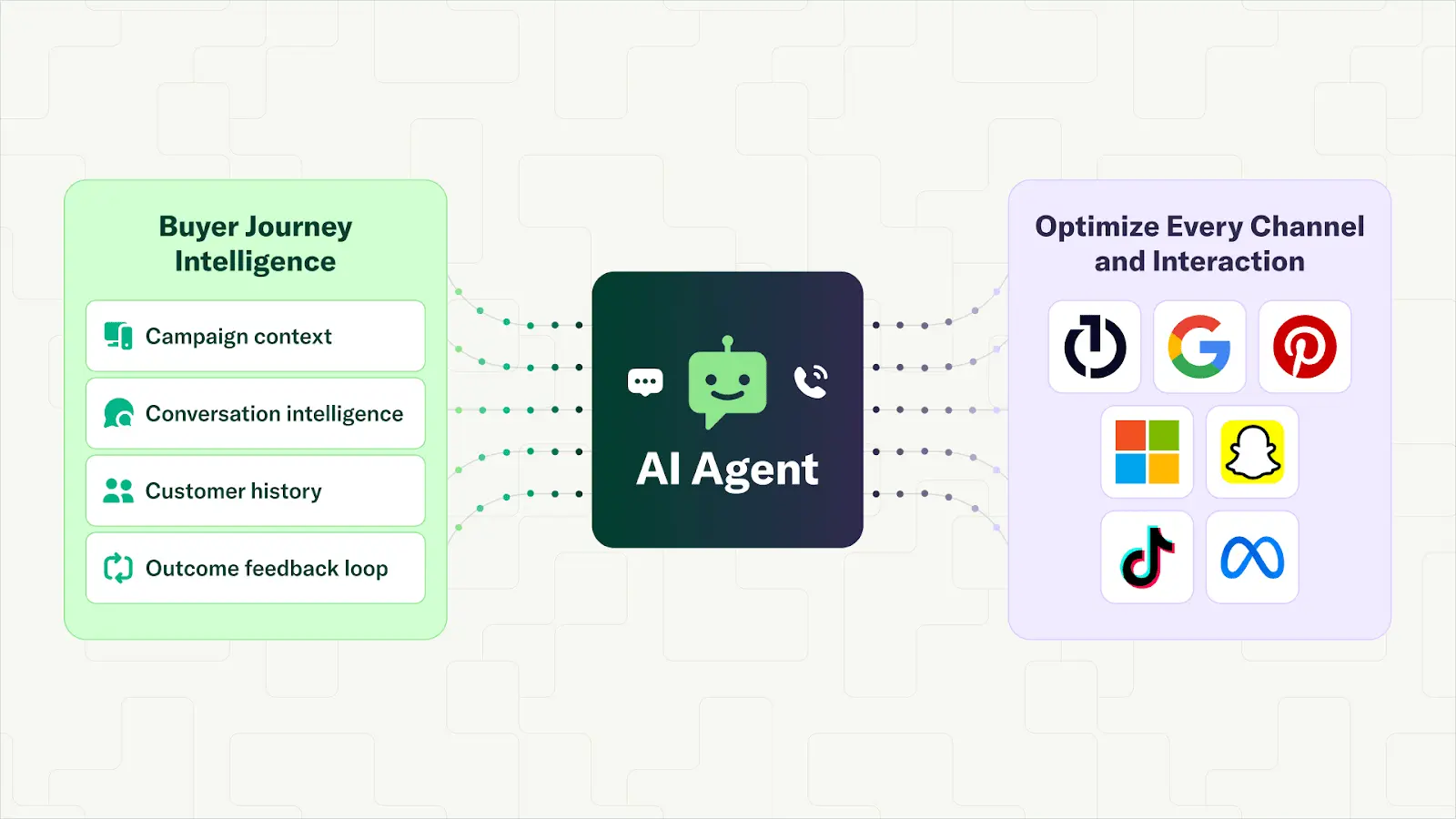
Invoca's two-way SMS agent is built to convert and qualify leads through real-time text conversations, even after hours. It uses digital journey data, past call context, and approved sources to personalize responses, stays on-brand by training on your best conversations, and ties outcomes back to the original marketing source for closed-loop ROI reporting.
2. Amazon Lex
Amazon Lex uses machine learning to enable voice and text chatbots with advanced speech recognition. It integrates with AWS and is suitable for teams with technical resources and complex needs.
3. Intercom
Intercom offers real-time chatbots for web and in-app support. It excels at proactive messaging and CRM integrations, making it a good fit for SaaS and tech companies.
4. Ada
Ada allows you to build AI chatbot customer service solutions without coding. Its platform is focused on customer service automation and multilingual support, helping large teams deflect routine inquiries.
5. HubSpot
HubSpot's chatbot tools live inside its CRM, automating lead capture and appointment scheduling. It's designed for businesses already using HubSpot for marketing and sales.
6. Freshworks (Freshchat)
Freshchat supports conversational AI across multiple channels, including WhatsApp, SMS, and web chat. It offers out-of-the-box integrations and is helpful for global support teams.
7. Tidio
Tidio provides affordable chatbots for call center and live chat software, ideal for small businesses and ecommerce. It automates responses and connects with popular shopping platforms.
8. Zendesk
Zendesk's chatbot integrates with its customer service platform to automate support and ticketing. It's a strong option if you already use Zendesk for your contact center.
Unify CX and Revenue with Smart Messaging from Invoca
Most contact centers don't have a "support problem"—they have a visibility problem. When you can't see why a customer reached out, what they did online first, or what happened in the conversation, it's hard to improve anything beyond staffing and scripts. The fastest teams fix this by connecting channels and tying every interaction to a real outcome.
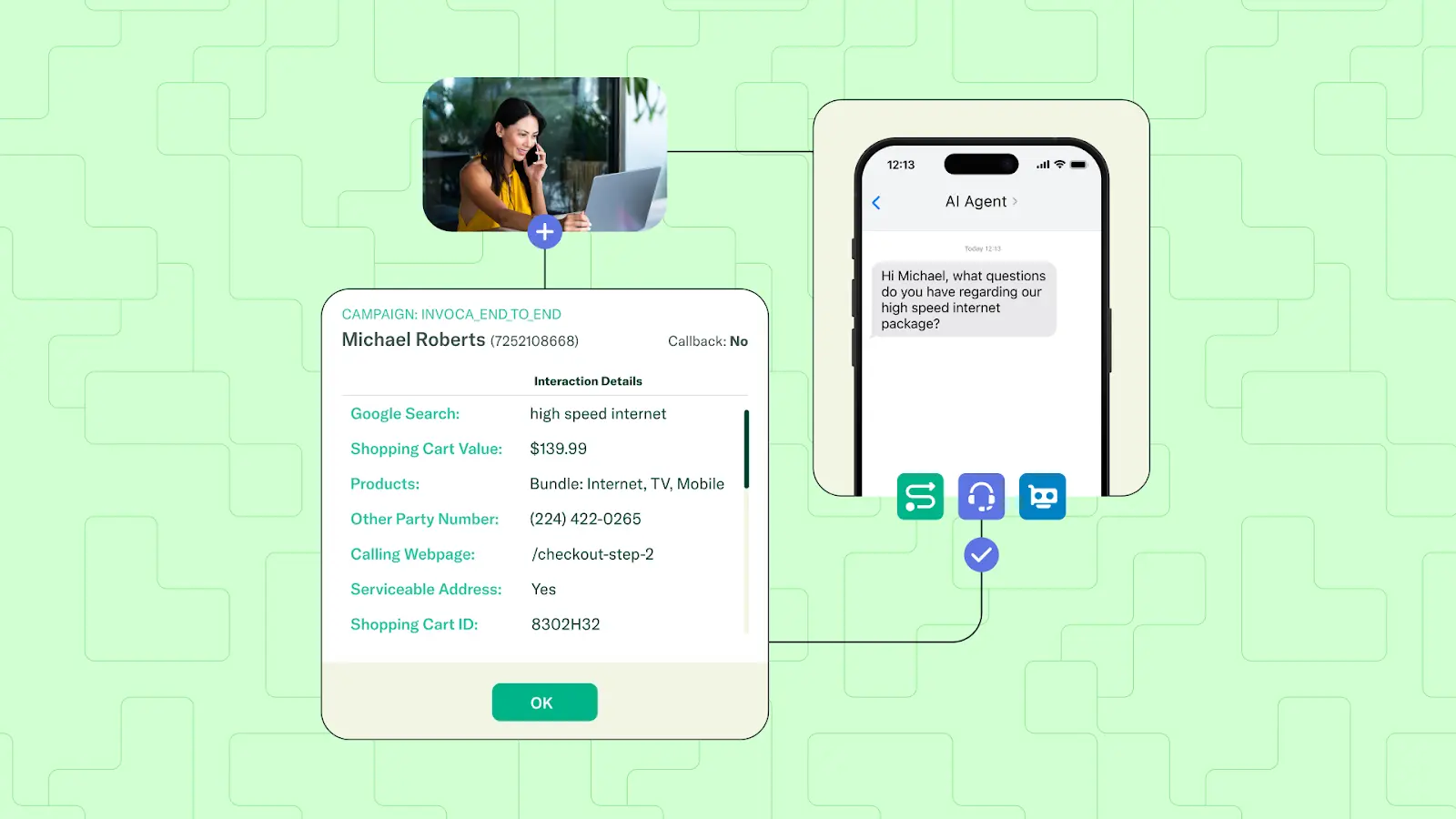
Invoca's AI messaging agent for SMS helps you do exactly that by bridging marketing and customer experience with AI-powered conversation analytics. It uses real conversation data to personalize each interaction, complete transactions like scheduling, and connect outcomes back to attribution—so you can prove what's working and scale it with confidence.
Book a demo to see what Invoca can do for your team.

FAQs About Call Center Chatbots
What is the best AI chatbot for customer service operations?
The best AI chatbot for customer service depends on your needs, but look for solutions with proven NLP, integration capabilities, and the ability to personalize responses based on customer data.
How are chatbots used in customer service environments?
Chatbots in customer service resolve common questions, perform account tasks, and route complex issues to human agents, improving efficiency and customer satisfaction across channels.
How is AI used in call centers today?
AI in call centers automates conversations, analyzes interactions for insights, and helps route or resolve customer issues without human intervention, reducing costs and wait times.
What are the four types of chatbots available?
The four types of chatbots are rule-based, AI-powered, voice bots, and messaging agents. Each is designed for different channels and complexity levels based on business needs.
.svg)
.svg)